7 tips to get more online bookings through your salon website
It’s ten in the evening. Your client is on the sofa, catches her roots in her phone camera and thinks: I really need to book again. Calling is no longer an option, the salon is closed. So she picks up her phone and looks up your website.
What happens next decides whether she books, or tells herself she’ll do it “tomorrow”, and then forgets. In this article you’ll find 7 tips that turn your website into your best receptionist: always open, never on the phone.
1. Put the booking button everywhere
A client who wants to book doesn’t want to search. Put a clear “Book an appointment” button at the top of every page, including the mobile menu. Repeat it below your price list and your team page: exactly at the moment someone thinks “I want that”.
2. Show your prices
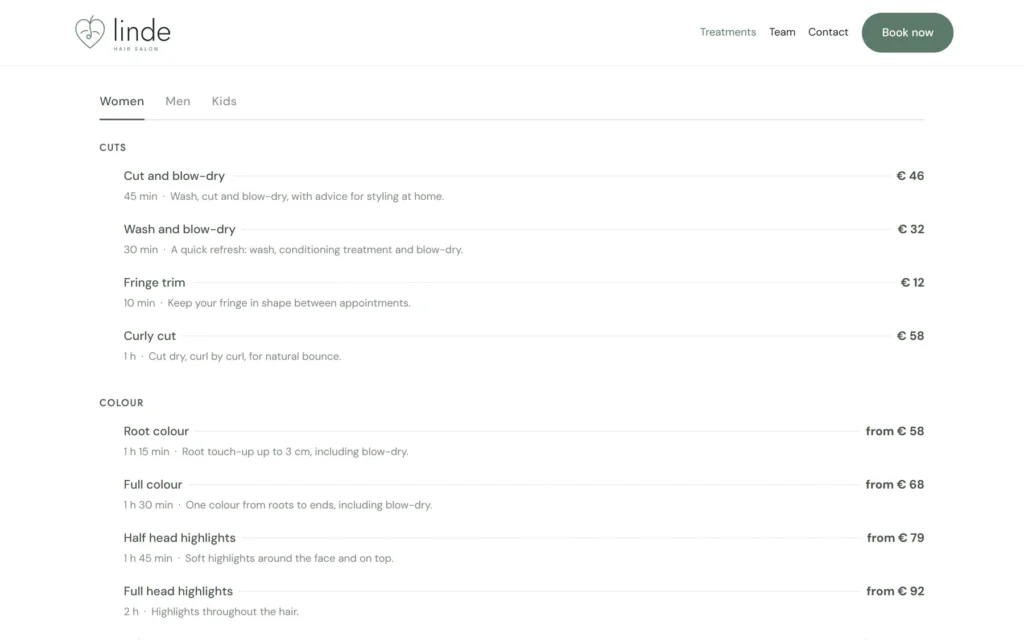
Uncertainty about price is one of the biggest reasons not to book online. Show your treatments with price and duration, neatly grouped. Do you work for women, men and kids? Then use separate tabs, so everyone instantly sees what applies to them.
3. Introduce your team
Clients come for a treatment, but come back for a person. Show your staff with a photo and a few sentences about who they are and what they’re good at. And let clients choose when booking: their favourite stylist, or no preference.
4. Only show times that are truly free
Nothing is more frustrating than choosing a time and then getting a call that it doesn’t work after all. Your online agenda has to take working hours, breaks, days off and existing appointments into account. Then what the client picks is always right.
5. Make it perfect on a phone
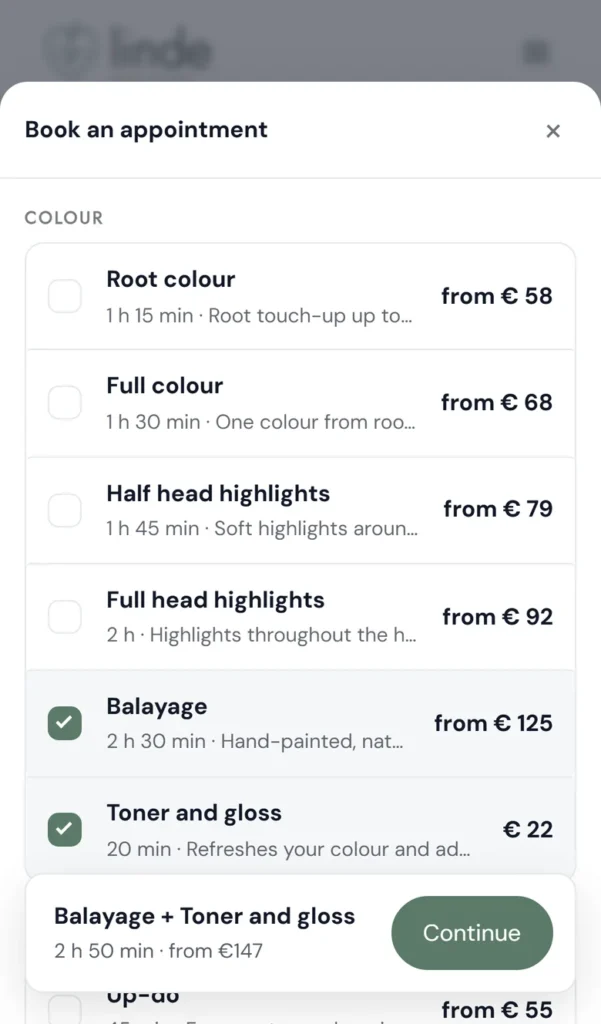
Most clients book on their phone. Test it yourself: can you do it in a few taps, without zooming in? Don’t make clients create an account first. A name, an email address and possibly a phone number is enough. And remember their details for next time.
6. Confirm right away, with a calendar file
After booking, a client wants certainty. Send a confirmation straight away with the date, time, treatment and staff member, plus a calendar file so the appointment is in her own calendar with one tap. People who have it in their calendar forget less often.
7. Show when you’re open
Are your opening hours tucked away at the bottom, or missing altogether? Put them somewhere visible, including different hours around holidays. Extra handy: show whether you’re open right now. Then a client knows immediately whether calling is an option, or whether booking online is quicker.
A good salon website answers three questions in ten seconds: what does it cost, who does it, and when can I come?
How ChairIt helps
ChairIt is a booking plugin for WordPress with blocks that do exactly this, right on your own website:
- the Book an appointment block: step by step, on one screen or as a pop-up behind a button, with one or more treatments and a favourite staff member or no preference;
- only truly available times, based on schedules, breaks and appointments;
- a price list with tabs for women, men and kids;
- a team block with a photo and a short story for each staff member;
- an opening hours block that shows whether you’re open now;
- booking without an account, with a confirmation and calendar file.
Every block also works as a shortcode, so ChairIt fits any theme and page builder. And all of this is in the free version.
Start with your own phone
The quickest test? Tonight, pick up your phone and try to book an appointment through your website, as if you were a new client. Where do you hesitate, where do you have to search, where do you give up? Those are exactly the places where your clients drop off too.